


Changeling Image converter for Mac
Turns HEIC into JPEG on your own Mac, with the location left out.
Drop in the photograph the upload form refused and take back a JPEG, converted here and never sent anywhere. Changeling always writes a new file, so the original is still where you left it — and it can lift the GPS out of the copy without disturbing anything else.

How it makes the exchange
Whatever this Mac can read
The formats on offer are asked of macOS itself rather than listed in advance, so HEIC, JPEG, PNG, TIFF, GIF, WebP and camera RAW come in as far as your machine decodes them. A format your Mac cannot write is hidden rather than offered and then failed at the last moment.
The location goes, the colour stays
Metadata is filtered out before the new file is written, not scrubbed off afterwards — the difference between removed and merely hidden. GPS has its own switch, apart from the rest of EXIF, because it is the one people actually mean. The colour profile is kept even when you strip everything else, so a stripped photograph does not come back the wrong colour.
A folder at a time, nothing overwritten
Hand it a folder and every image inside is converted in one pass, into a destination you choose. Nothing is ever written over the top of your originals: the conversion is a new file, and the photograph you dropped in is untouched. A file that cannot be read is reported and skipped instead of stopping the run.
Changeling at work
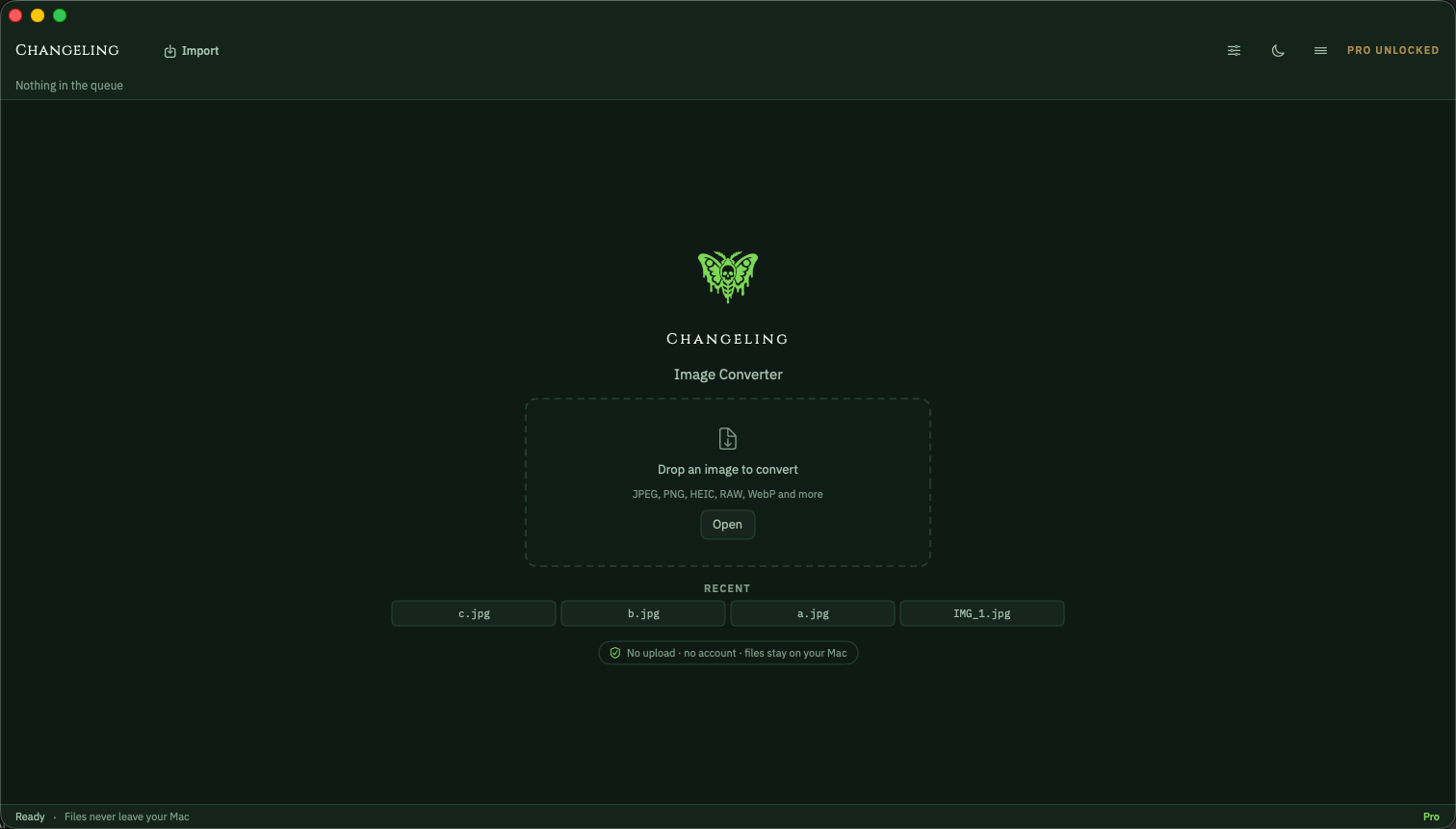
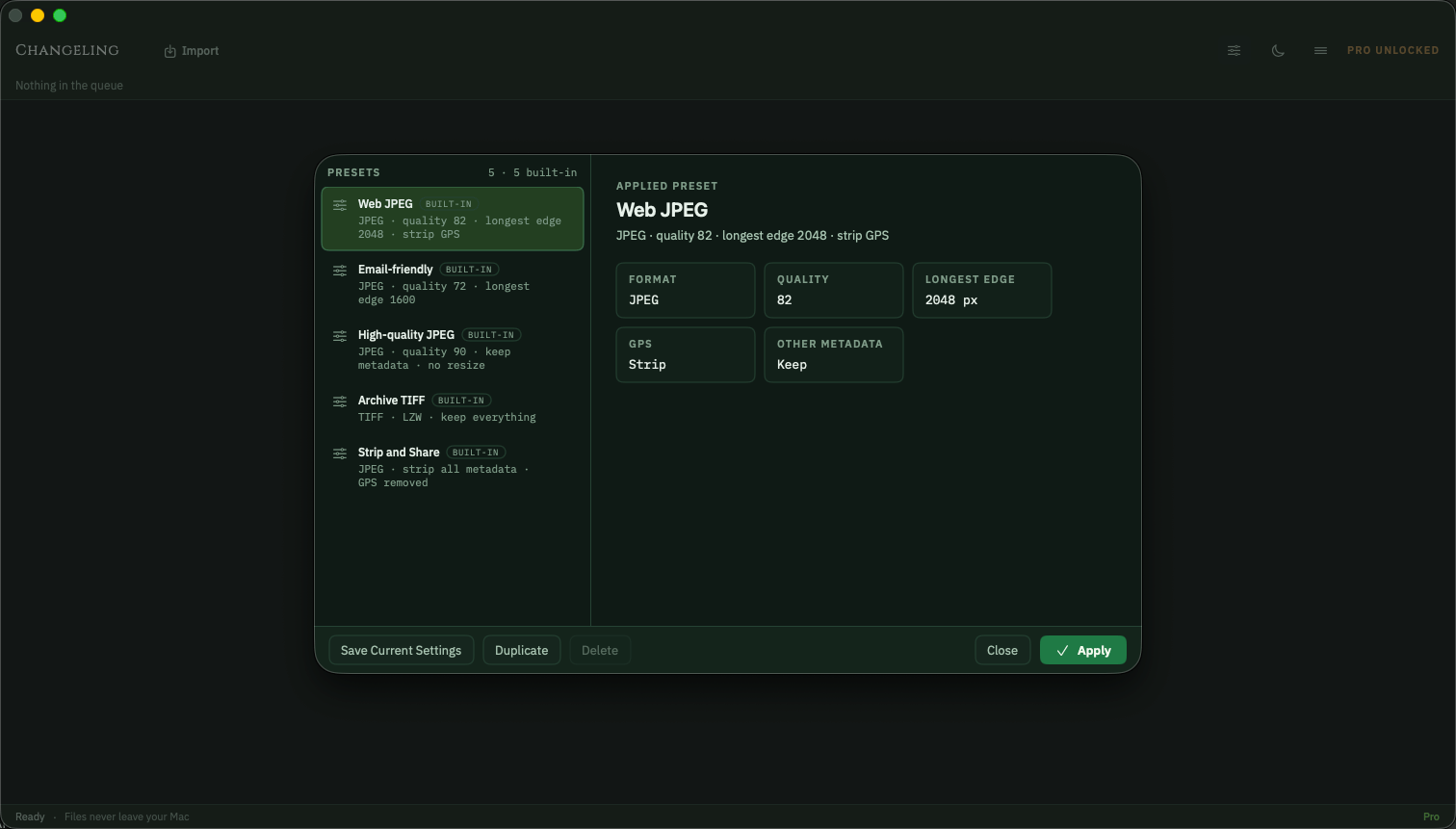
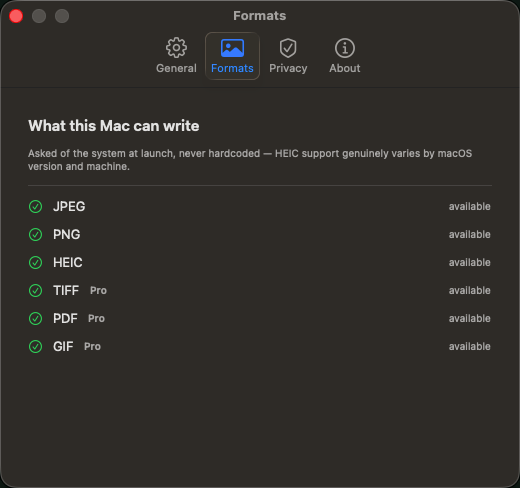
Before the dose, after the dose
- A form that rejects the photograph your iPhone just took
- A stranger's website, handed the whole folder to convert
- A JPEG posted with the coordinates of a front door inside it
- HEIC into JPEG here, in about the time the drop takes
- Nothing uploaded, because there is nowhere for it to go
- GPS filtered out before the file is written, on its own switch
Frequently asked
Do my images leave this Mac?
No. Decoding, conversion and writing all happen on your own machine, through frameworks built into macOS. No image, filename or dimension is uploaded, there is no account to make and no queue on anyone else’s server — which is also why it works with the network switched off. Separately, and it is a different thing so it is stated separately: the app reports anonymous usage and crash diagnostics so faults can be found and fixed, and it can send product news if you ask it to. That is about the app. It is never about your pictures.
Which formats does it write?
JPEG, PNG and HEIC free, with TIFF, PDF and GIF added by the Pro unlock — and each of them only where your Mac can genuinely encode it, which is asked of macOS rather than assumed. What comes in is a wider and separate question: anything the system decodes, which on a current Mac means HEIC, JPEG, PNG, TIFF, GIF, WebP and camera RAW. WebP is a case worth naming — it opens, and it will never be written, because no Mac has ever shipped a WebP encoder.
What does stripping metadata actually remove?
Free, it is one switch: keep all of it, or keep none of it. Pro gives a switch per category — EXIF, GPS, IPTC, the embedded thumbnail, the colour profile, and whether orientation is baked into the pixels rather than left as a tag for the next program to ignore. GPS is deliberately separate from EXIF. All of it is filtered before the file is written, and the tests read the written bytes back to prove the location is gone rather than trusting that it was asked for. One exception runs the other way: the colour profile survives "strip everything", because a photograph that comes back the wrong colour is not a cure.
Is there a subscription?
No. Changeling converts a single file free, at full quality, with the whole quality slider and a keep-or-strip choice over metadata — never watermarked, never time-limited, no nag on launch. One payment unlocks the rest: whole folders and their subfolders, TIFF, PDF and GIF, per-category metadata control, five ways to resize, filename templates, and presets of your own alongside the five that ship. Nothing to cancel, nothing that renews.
Different symptom, same cabinet.
Frankensheet
Lays a folder of images — or a video — out as one clean sheet.
- Contact sheets from any folder
- Frame boards from any video
- PDF, PNG or JPEG, print-ready

Maskelyne
Converts audio and video from one form into another, cleanly.
- Video and audio, converted on your Mac
- Audio lifted out of a video
- Lossless remux where it fits

Nepenthe
Removes faces, number plates and location data before you publish.
- Faces, number plates and text
- Metadata and hidden copies removed
- Every export verified

Mordant
Lifts the subject out of a photograph and bites away the rest.
- Subject lifted on arrival
- Full resolution, no watermark
- Your photographs stay on this Mac

Imprimatur
Makes codes that must read back before it will let you export them.
- Eleven symbologies, QR to EAN-13
- Vector output for print
- Every render decoded before export