

Frankensheet Contact sheet maker for Mac
Lays a folder of images — or a video — out as one clean sheet.
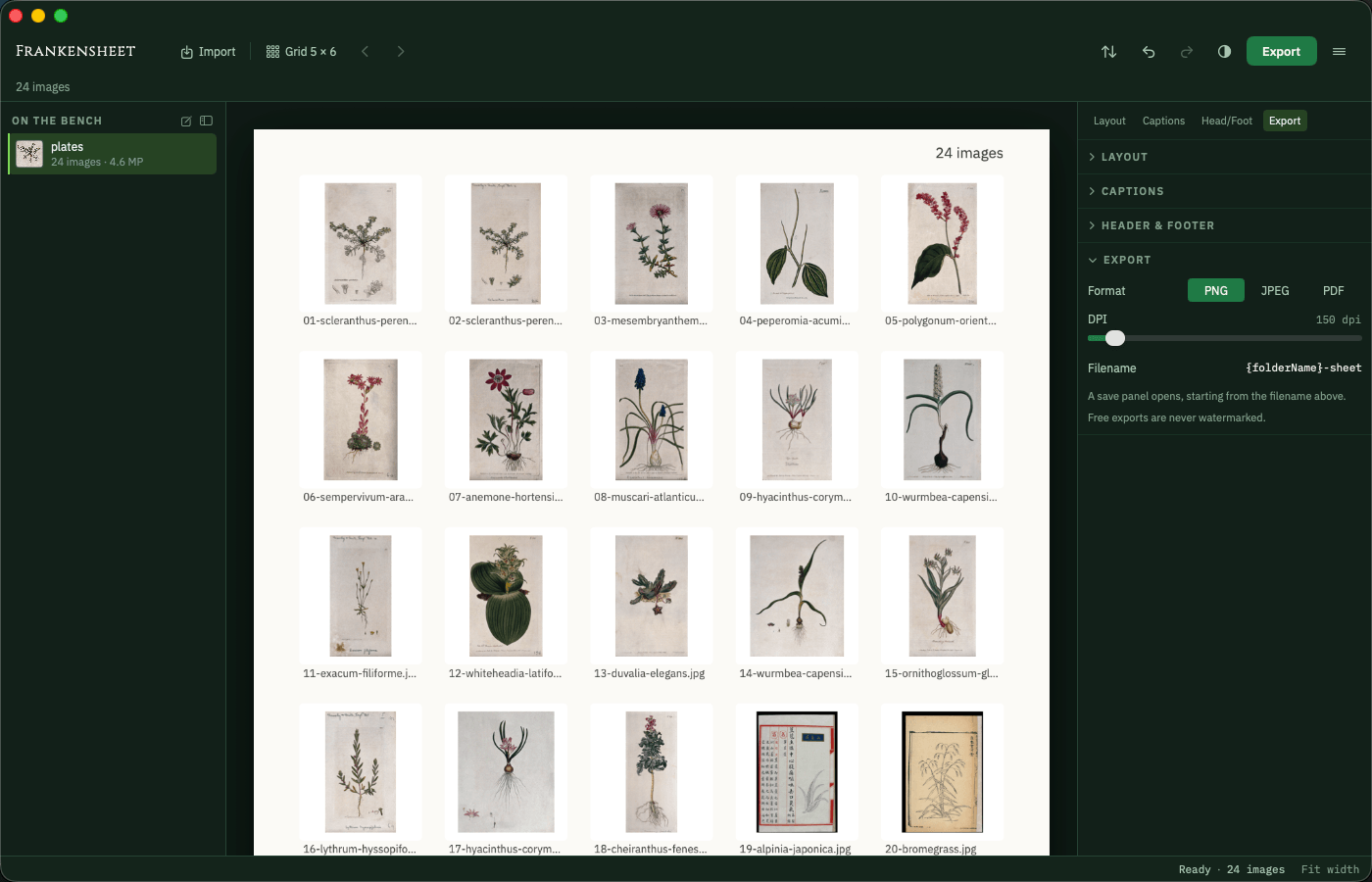
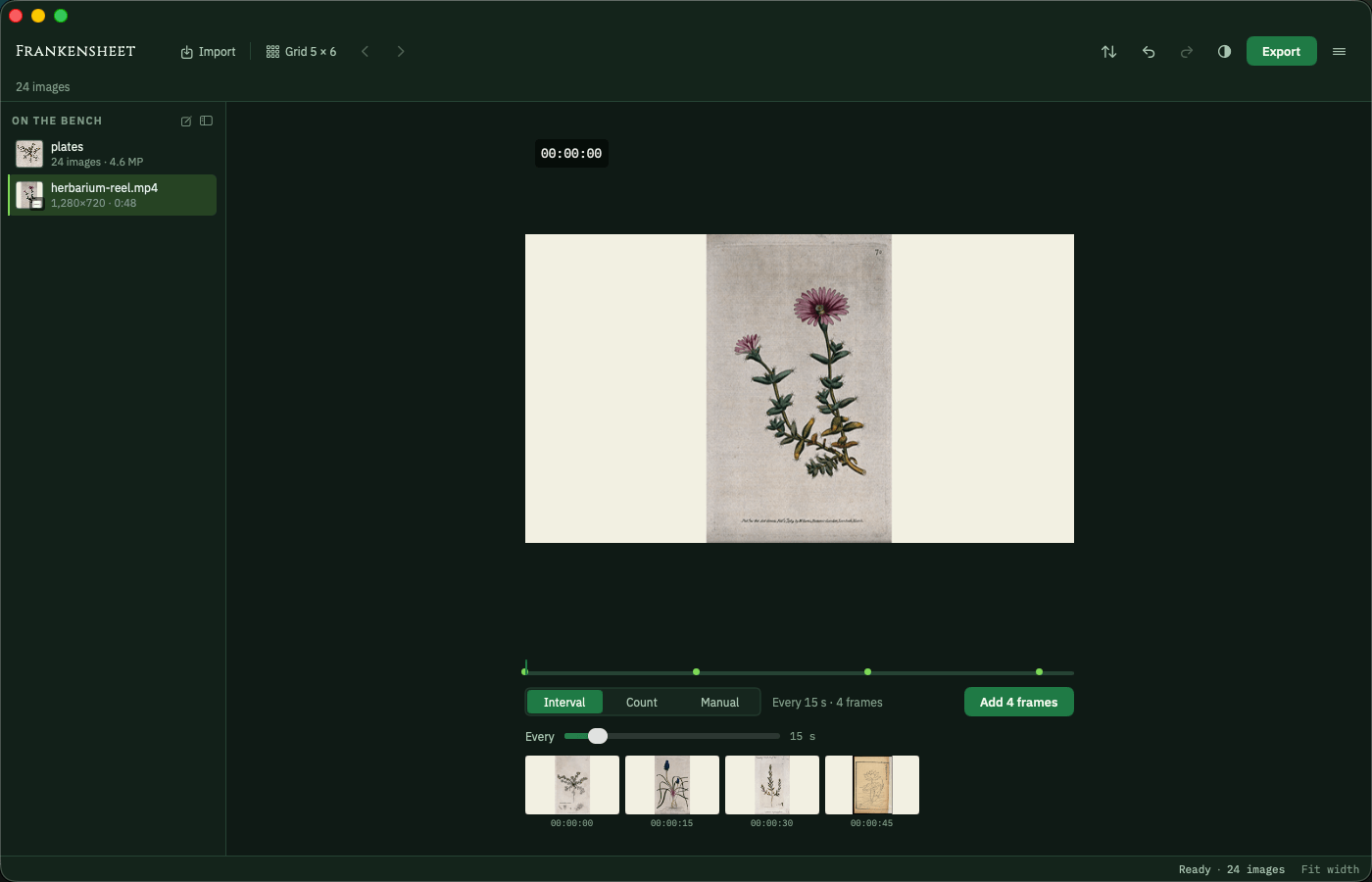
Point it at a folder and Frankensheet arranges every image into a single ordered contact sheet — sized, labelled, and ready to print or send. Point it at a video and it does the same with the frames.

How it builds the sheet
Takes a folder, or a video
One pass gathers every image in the folder, in the order you choose. Hand it a video instead and it samples the clip at whatever interval you set, so a whole take lands on one sheet.
Lays out the grid
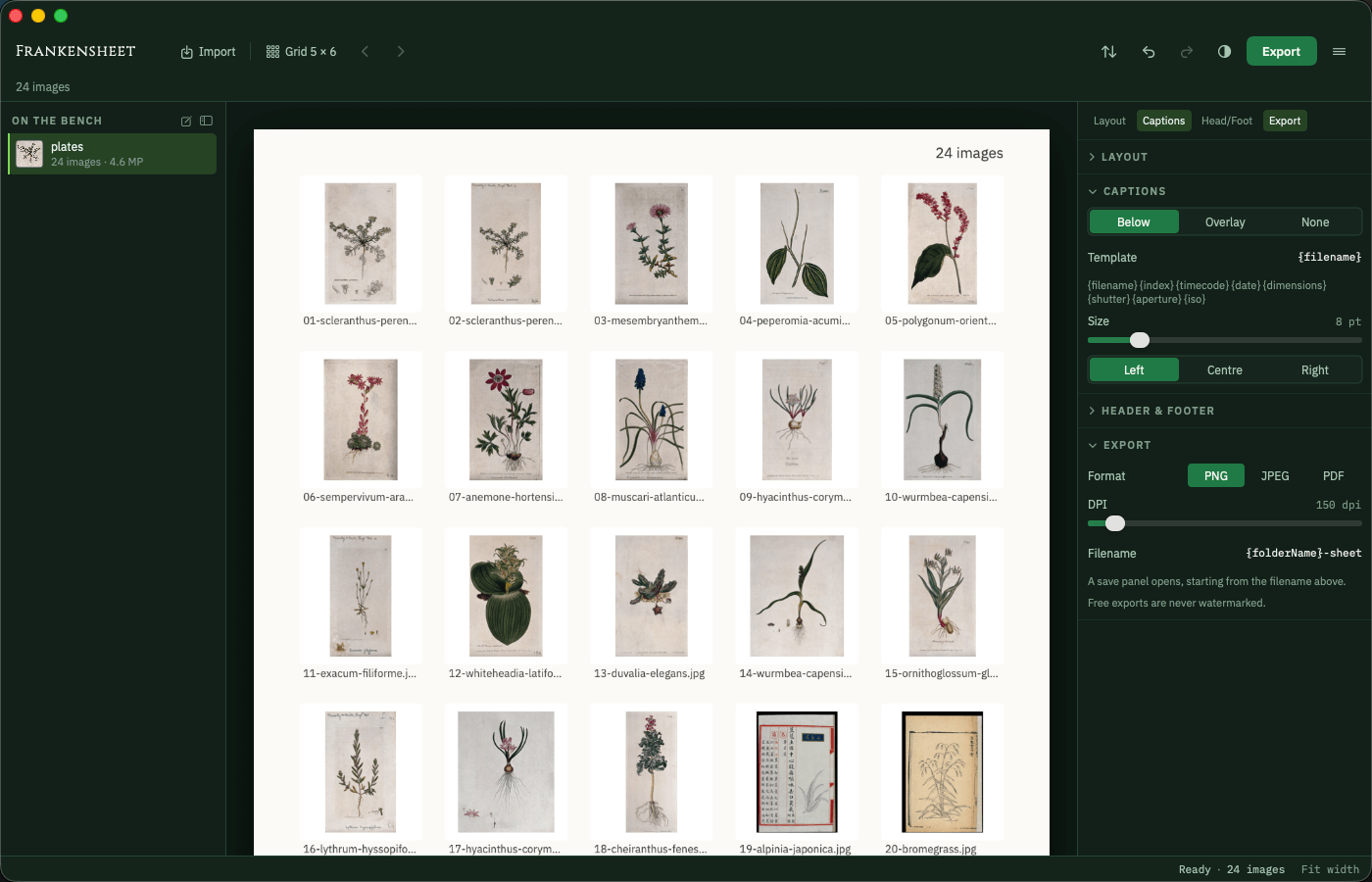
Thumbnails are sized and spaced to your grid, with the filename — or the shutter, aperture and capture date read out of the file — printed beneath each frame.
Returns a clean sheet
Export the finished sheet straight to PDF, PNG or JPEG — ready to print, archive, or send.
Frankensheet at work
Before the dose, after the dose
- A folder of hundreds of images to review, one file at a time
- Scrubbing a clip back and forth to find the shot you remember
- No tidy way to print or share the whole set
- Every image laid out on one ordered sheet
- The clip sampled at an interval, every frame side by side
- A single PDF, PNG or JPEG to print or send
Frequently asked
Does it change my original images?
No. Frankensheet only reads your images to build the sheet — the originals in the folder are never touched, moved, or renamed.
Can I control the layout?
Yes. Grid size, margins, spacing, and the labels printed beneath each thumbnail are all yours to set before you export.
Is there a subscription?
No. Frankensheet is free to use — one sheet of up to 30 images, exported as PNG or JPEG, never watermarked and never time-limited. A single one-time purchase unlocks the rest: PDF, video frame boards, multi-page and batch sheets, unlimited images, print resolution, EXIF captions and Shortcuts. Nothing to cancel, nothing that renews.
Where do my images go?
Nowhere. The dose is taken entirely on your own device. Nothing is uploaded, and there is nothing for me to see.
Different symptom, same cabinet.

Changeling
Turns HEIC into JPEG on your own Mac, with the location left out.
- HEIC, RAW and WebP in; JPEG, PNG and HEIC out
- GPS on a switch of its own
- Nothing uploaded, originals untouched

Maskelyne
Converts audio and video from one form into another, cleanly.
- Video and audio, converted on your Mac
- Audio lifted out of a video
- Lossless remux where it fits

Nepenthe
Removes faces, number plates and location data before you publish.
- Faces, number plates and text
- Metadata and hidden copies removed
- Every export verified

Mordant
Lifts the subject out of a photograph and bites away the rest.
- Subject lifted on arrival
- Full resolution, no watermark
- Your photographs stay on this Mac

Imprimatur
Makes codes that must read back before it will let you export them.
- Eleven symbologies, QR to EAN-13
- Vector output for print
- Every render decoded before export