


Imprimatur Barcode generator for Mac
Makes codes that must read back before it will let you export them.
Type the payload, choose the symbology, and Imprimatur renders the code and decodes it again. If what comes back is not what you asked for, there is no file to export. What you do get is vector, static, and printed once.

How it earns the mark
Let it be printed
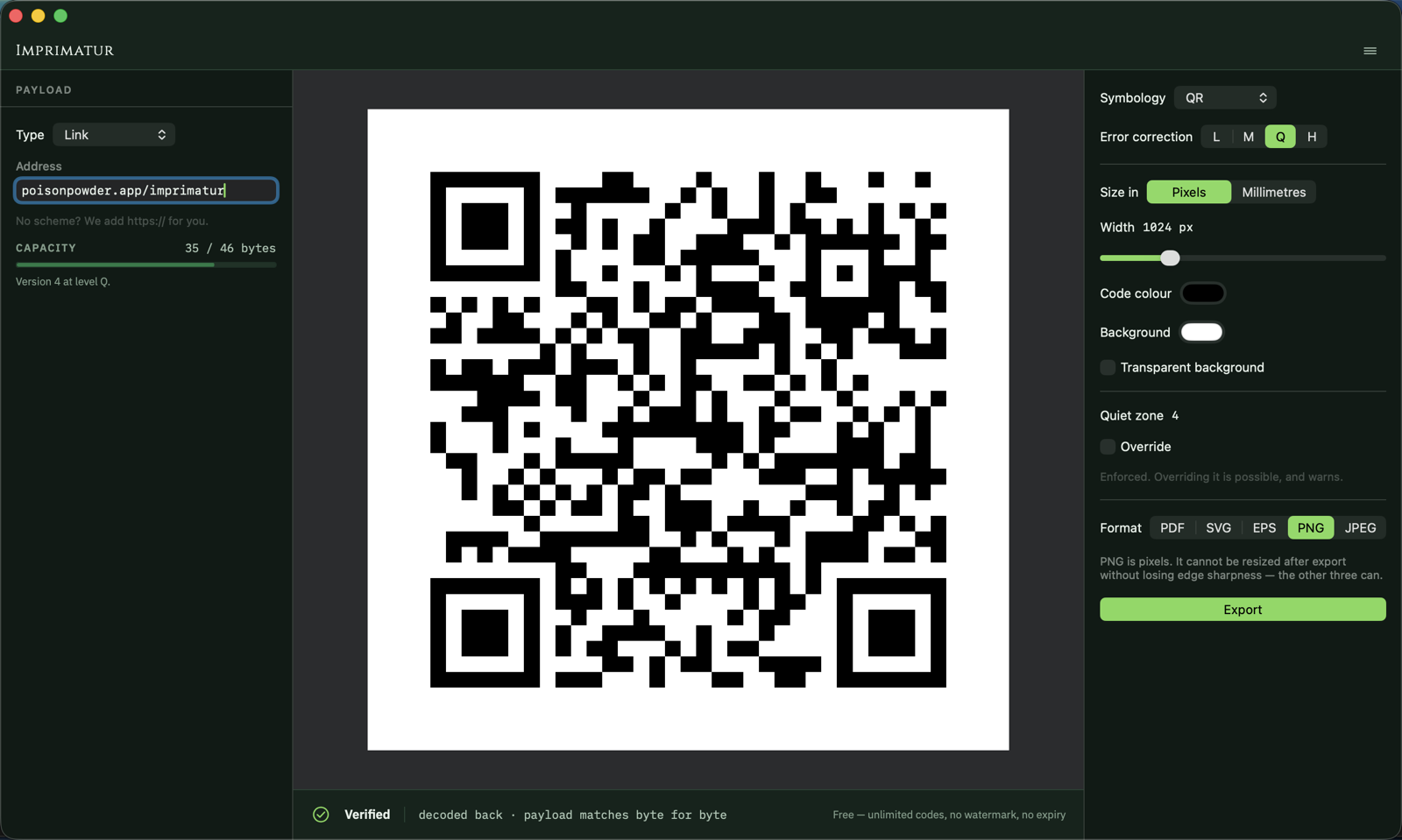
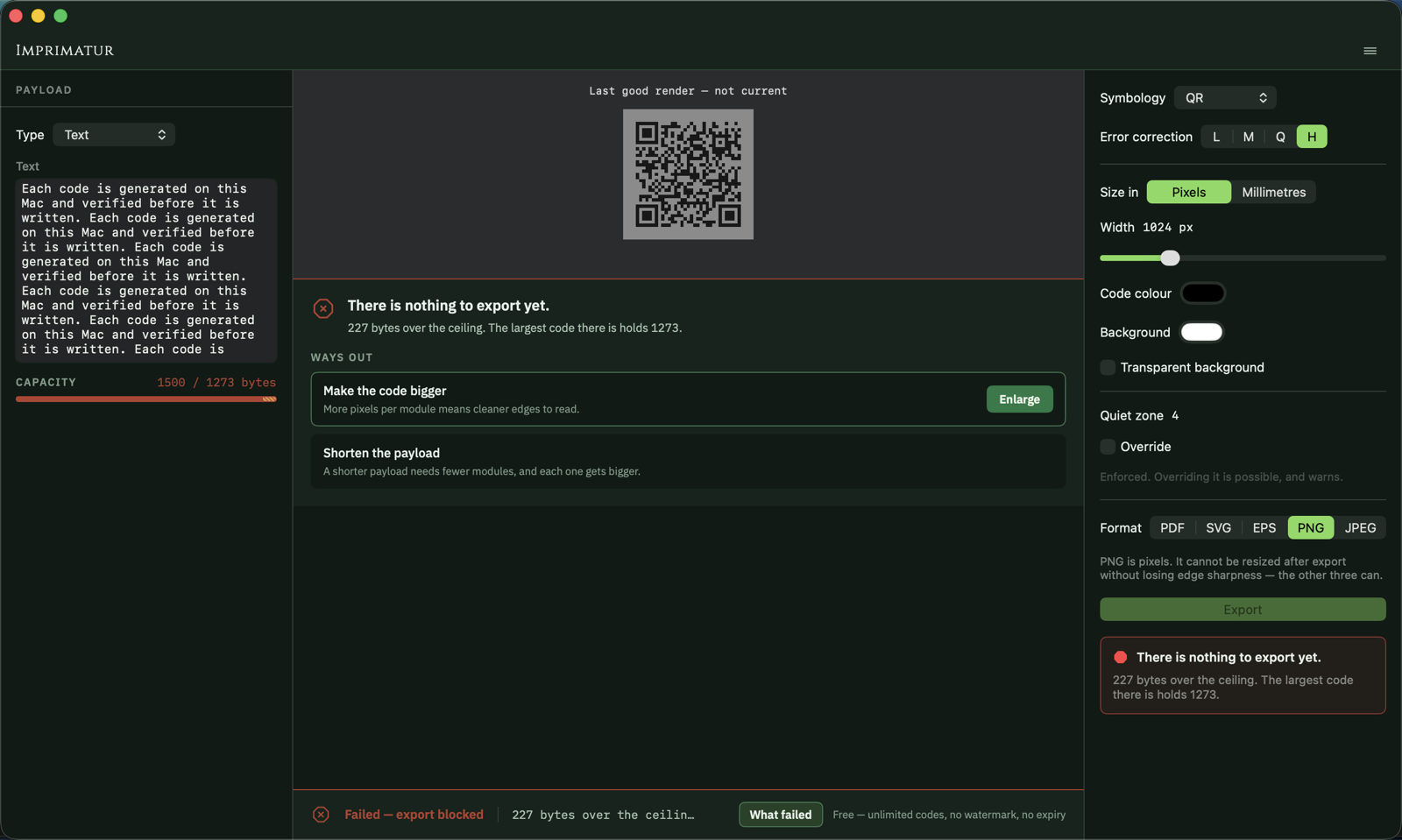
Every render is decoded again — the composited image you are about to export, not a clean copy of it — and compared against the payload you typed. A mismatch is refused with a reason, not greyed out. Verification is not a setting.
Geometry, not an enlargement
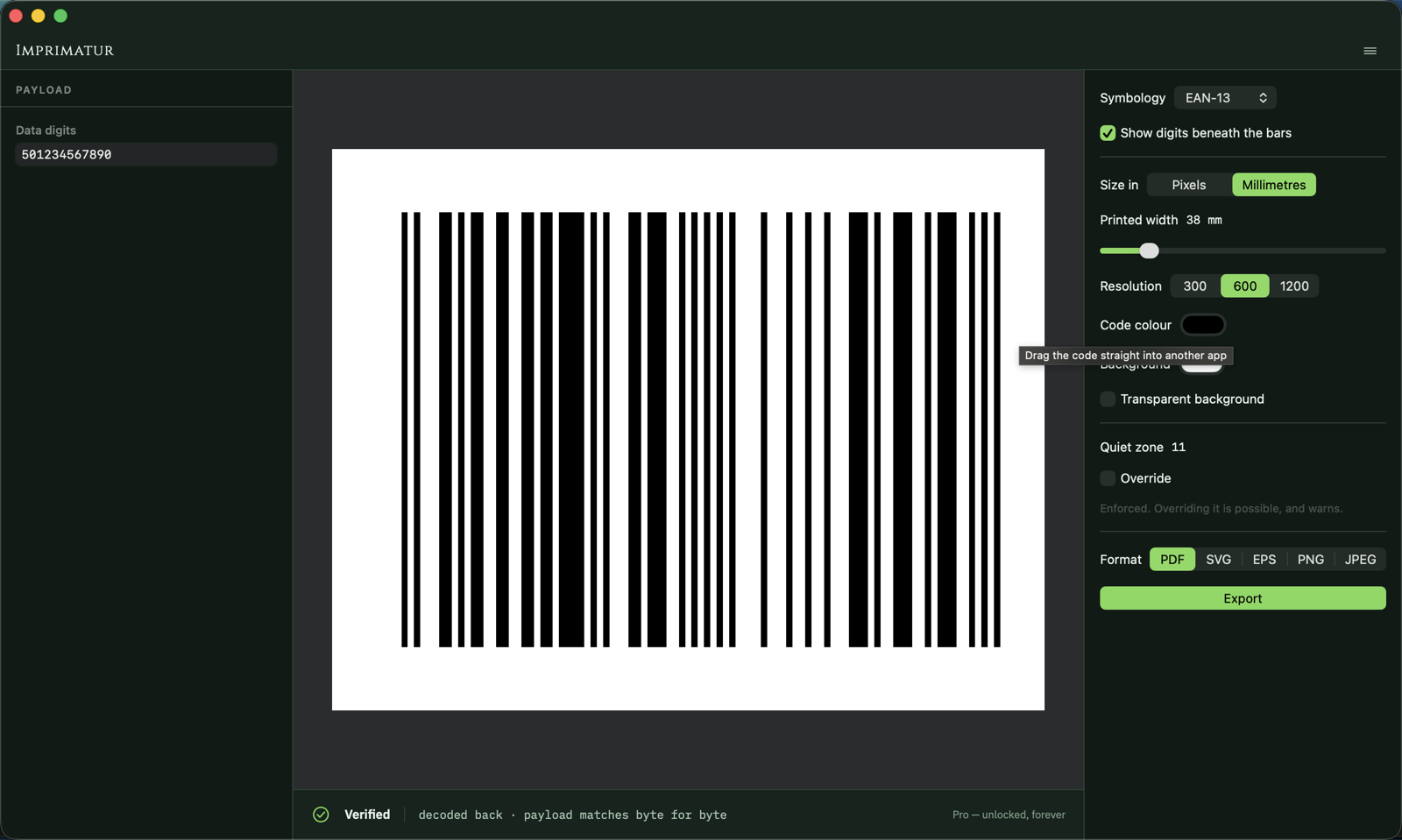
The module grid is recovered and drawn as vector: PDF, SVG or EPS, sized in millimetres because that is how a print buyer thinks. Nothing is upscaled from a bitmap, and raster export never smooths a module edge.
The check digit worked out for you
EAN-13, EAN-8, UPC-A, UPC-E and ITF-14 have their own encoders here, with the check digit computed rather than typed: twelve digits in, thirteen out. They are pinned against published reference codes and read back by an independent decoder.
Imprimatur at work
Before the dose, after the dose
- A code that redirects through somebody else's server, until it stops
- A small PNG enlarged for print, its module edges gone soft
- A retail check digit worked out by hand, on packaging already ordered
- A static code with nothing to expire and nothing to subscribe to
- PDF, SVG or EPS drawn from the module grid itself
- The check digit computed, and pinned against published examples
Frequently asked
What does verification actually prove?
That the exact image you are about to export was decoded again and gave back the payload you typed. If it did not, the export is refused. What it does not mean is that the code will scan off paper: the check runs on a clean render, with no ink spread and no material behind it, so contrast, size and press can still defeat a code this app accepted. That is what the warnings are for — low contrast, a reduced quiet zone, a module below its printed floor — and warnings never block, because you know your press and this app does not.
Which codes can it set?
Eleven: QR, Aztec, PDF417, EAN-13, EAN-8, UPC-A, UPC-E, ITF-14, Code 39, Code 128 and Codabar. Nine kinds of payload — a link, plain text, WiFi details, a contact, an event, email, SMS, a phone number or a location — are composed for you rather than typed as a string. QR Code is a registered trademark of Denso Wave Incorporated. Imprimatur is not affiliated with or endorsed by Denso Wave.
Do the codes expire, or report back?
Neither, and they never will. Every code is static: the payload is in the symbol itself, so nothing redirects through a server that has to be kept running and paid for. There is no scan counting, no dashboard, and nothing to renew. A code you print is a code that works for as long as the ink lasts.
What comes out at the end?
PDF, SVG or EPS for print, drawn as geometry from the module grid and sharp at any size, and PNG or JPEG when a raster is what you need — scaled without smoothing, because softened module edges are what makes a code fail. The quiet zone each symbology requires is added by default rather than left for you to remember.
Different symptom, same cabinet.

Frankensheet
Lays a folder of images — or a video — out as one clean sheet.
- Contact sheets from any folder
- Frame boards from any video
- PDF, PNG or JPEG, print-ready

Changeling
Turns HEIC into JPEG on your own Mac, with the location left out.
- HEIC, RAW and WebP in; JPEG, PNG and HEIC out
- GPS on a switch of its own
- Nothing uploaded, originals untouched

Maskelyne
Converts audio and video from one form into another, cleanly.
- Video and audio, converted on your Mac
- Audio lifted out of a video
- Lossless remux where it fits

Nepenthe
Removes faces, number plates and location data before you publish.
- Faces, number plates and text
- Metadata and hidden copies removed
- Every export verified

Mordant
Lifts the subject out of a photograph and bites away the rest.
- Subject lifted on arrival
- Full resolution, no watermark
- Your photographs stay on this Mac