


Maskelyne Video and audio converter for Mac
Converts audio and video from one form into another, cleanly.
Drop a file in and name the form you want back. Maskelyne converts it here on your Mac, shows you the size of the result before it starts, and — where the codec already suits the container — copies the streams across untouched rather than encoding them again.

How it converts the file
Three honest choices
High, Balanced or Small, with the size of the finished file estimated before you start and revised as you change your mind. The full settings — bitrate, resolution, frame rate, channels, sample rate — are there when you want them, folded away when you do not.
Lossless where it can be
When the source codec already suits the container you asked for, there is nothing to re-encode. Maskelyne notices, copies the streams across untouched, and tells you why it was fast — a file that would have taken minutes lands in seconds, bit for bit the same.
Audio, lifted out
Getting the sound out of a video is a button, not a setting buried in a format menu. Choose M4A, WAV, AIFF or CAF, pick which audio track when a file carries more than one, and take the whole thing or a trimmed range.
Maskelyne at work
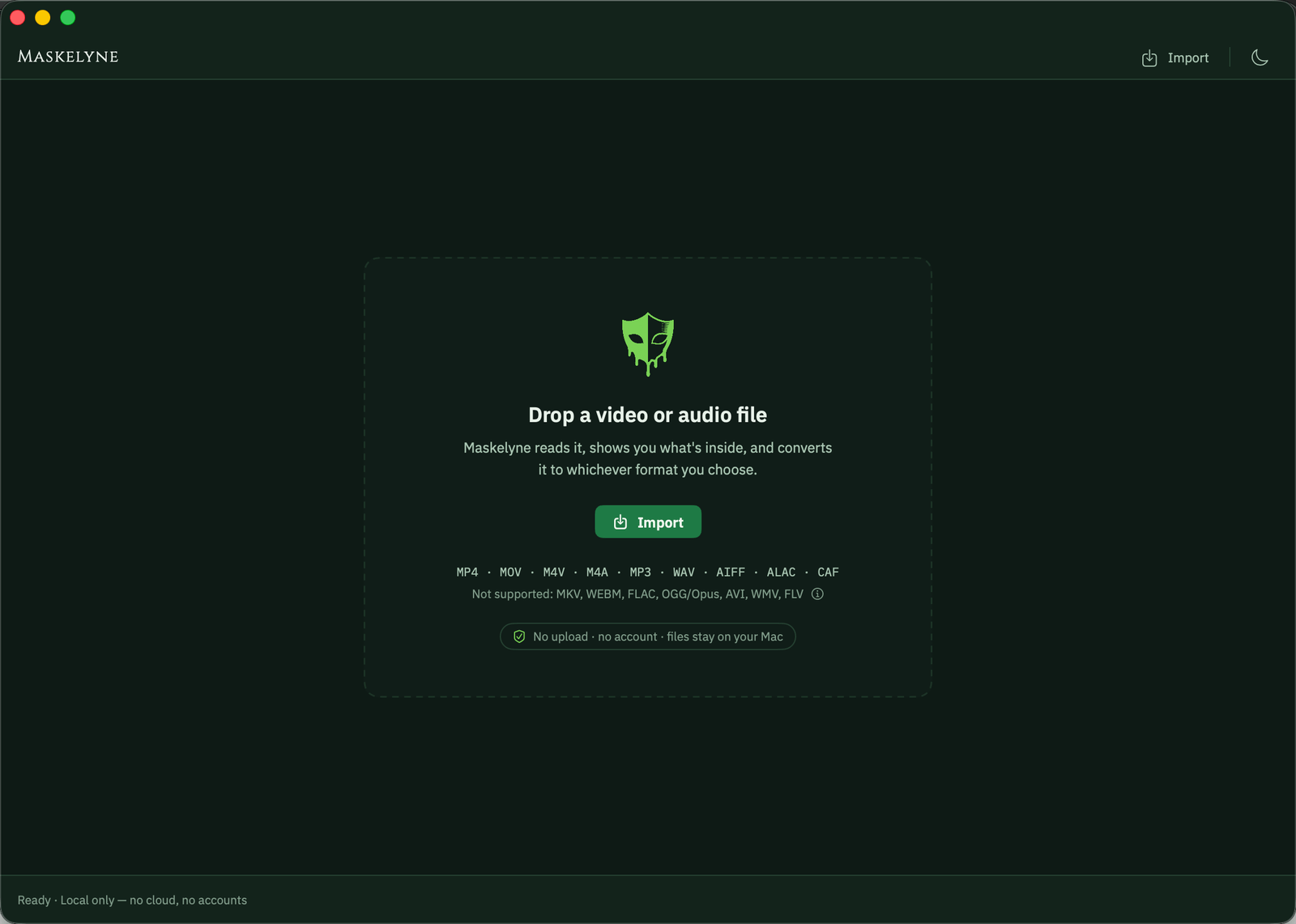
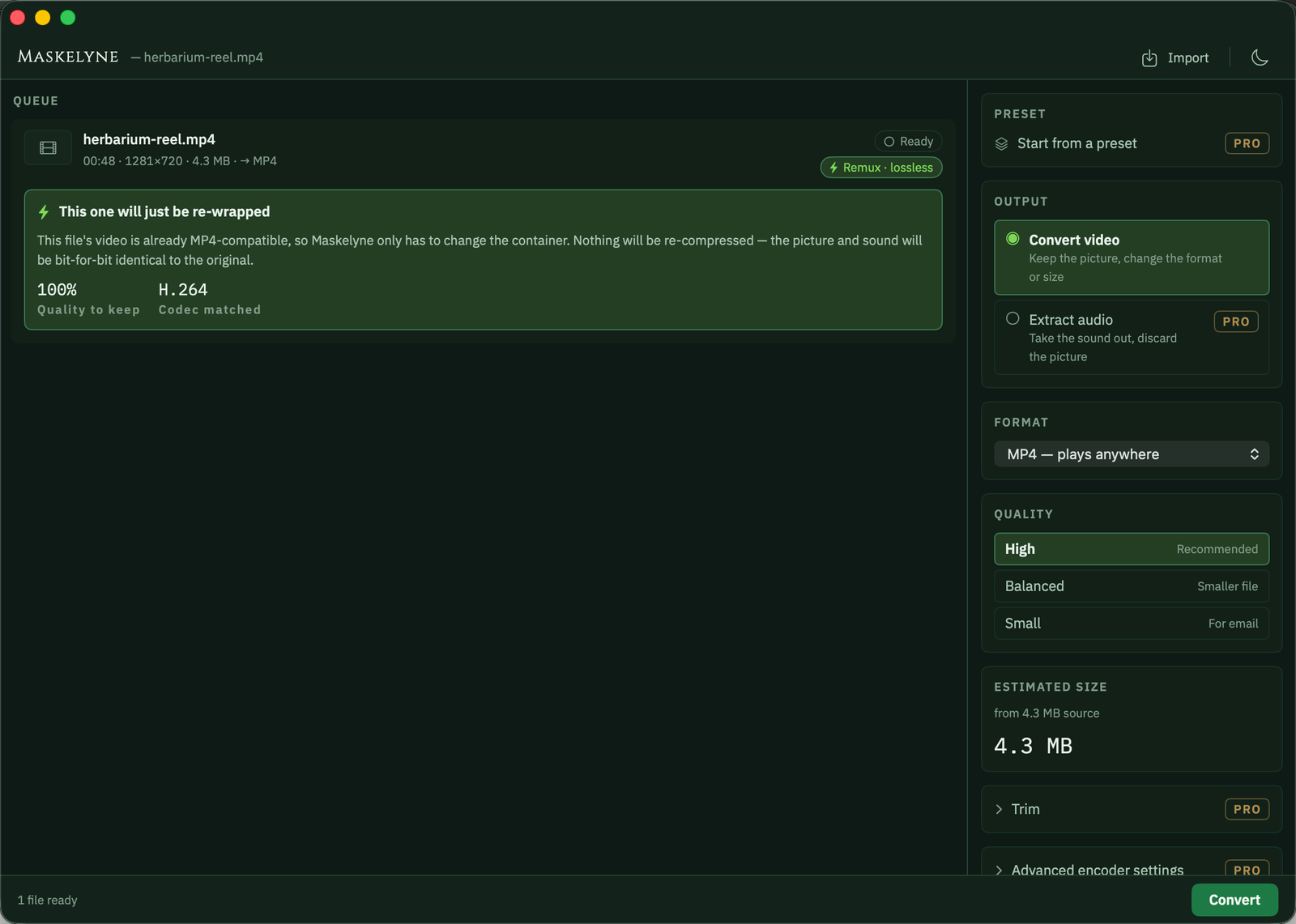
Before the dose, after the dose
- A video that will not play, and nothing that says why
- A progress bar that sits at 99% for a quarter of an hour
- A whole file encoded again when only its wrapper was wrong
- The format named plainly, and a copy in one that plays
- Progress that means something, and a time remaining worth reading
- The streams copied across untouched, done in seconds
Frequently asked
Which formats does it read and write?
It reads what macOS reads: MOV, MP4, M4V, MP3, M4A, WAV, AIFF, CAF and others besides. It writes MP4, MOV and M4V for video, and M4A, WAV, AIFF or CAF for audio. MP3 is the odd one out — macOS ships an MP3 decoder and no MP3 encoder, so MP3 comes in and can never go out. MKV, WebM, FLAC, OGG, AVI and WMV are not supported at all, and a file in one of those is refused by name, never described as broken. It is not broken; we simply cannot read it.
Is there a subscription?
No. Maskelyne is free to use — one file at a time, out to MP4 or M4A, at full quality, never watermarked and never time-limited. Drop in more than one and the rest are held rather than turned away; each starts as the one in front of it finishes. A single one-time purchase unlocks the rest: the whole format matrix, the batch queue, audio extraction, trim, track selection, encoder settings and saved presets. Nothing to cancel, nothing that renews.
Will converting cost me quality?
Only when something actually has to be re-encoded. Where the source codec suits the container, the streams are copied rather than encoded and the result is identical to what went in. Where a re-encode is unavoidable, High keeps close to the original, and WAV, AIFF or ALAC give you audio with nothing thrown away at all.
Where do my files go?
Nowhere. Your media never leaves your Mac — every conversion happens on this machine, there is no account, no sign-in and nothing uploaded. The originals are read and left where they are; the copy is written where you say.
Different symptom, same cabinet.

Frankensheet
Lays a folder of images — or a video — out as one clean sheet.
- Contact sheets from any folder
- Frame boards from any video
- PDF, PNG or JPEG, print-ready

Changeling
Turns HEIC into JPEG on your own Mac, with the location left out.
- HEIC, RAW and WebP in; JPEG, PNG and HEIC out
- GPS on a switch of its own
- Nothing uploaded, originals untouched

Nepenthe
Removes faces, number plates and location data before you publish.
- Faces, number plates and text
- Metadata and hidden copies removed
- Every export verified

Mordant
Lifts the subject out of a photograph and bites away the rest.
- Subject lifted on arrival
- Full resolution, no watermark
- Your photographs stay on this Mac

Imprimatur
Makes codes that must read back before it will let you export them.
- Eleven symbologies, QR to EAN-13
- Vector output for print
- Every render decoded before export